
 THIS VIDEO EXPLAINS THE EXPECTATIONS FOR THE DAY!
- Objective:
- Students will be able to:
- Break down a long sequence of instructions into the smallest repeatable sequence possible.
- Create a program for a given task which loops a sequence of commands.
- Employ a combination of sequential and looped commands to reach the end of a maze.
- Identify bugs in an existing program and assess how to correct them.
- Identify the benefits of using a loop structure instead of manual repetition.
- Students will be able to:
- Announcements:
- The last day for any late work for Q4 is Thursday, June 4th!
- This provides 2 weeks at the end of the Quarter for Mr. Smith to grade late work.
- The last day for any late work for Q4 is Thursday, June 4th!
- Previous Lessons: Lesson 3, Tux Typing 2, Lesson 4, Tux Math 2, Lesson 5, Tux Typing 3, Lesson 7, Lesson 8, Lesson 9
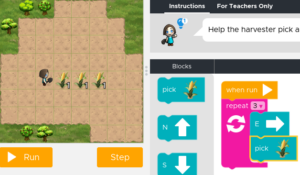
- Today's Lesson: Code.org Lesson 7: Loops with Harvester
 Vocabulary:
- Algorithm - A list of steps to finish a task.
- Bug - Part of a program that does not work correctly.
- Click - Press the mouse button
- Debugging - Finding and fixing problems in an algorithm or program.
- Double-Click - Press the mouse button very quickly
- Drag - Click your mouse button and hold as you move the mouse pointer to a new location
- Drop - Release your mouse button to "let go" of an item that you are dragging
- Loop - The action of doing something over and over again.
- Persistence - Trying again and again, even when something is very hard.
- Program - An algorithm that has been coded into something that can be run by a machine.
- Programming - The art of creating a program.
- Repeat - To do something again.
- We will begin by using Clever to log into Code.org.
- Only Code.org logins done through Clever will show the work that has been assigned.
- Students are responsible for EVERY lesson they can see in Course B, though if they are caught up only have today's work to complete.
- Today's lesson is split into several Levels.
- Levels 1-2 build skills.
- Level 3 is a video that students will watch on their own.
- Levels 4-10 are additional skill building levels.
- Level 11 is a CHALLENGE level and therefore is extra credit.
- Levels 12-13 are practice levels that review skills learned today.
- Grading Rubric:
- Students earn 1 point for each level turned BRIGHT GREEN by completing it.
- Pale green Levels are incomplete and therefore not counted.
- CHALLENGE Levels are counted as Extra Credit.
- FREE PLAY Levels are rewards for completing the work and are not graded.

- This is an IN-CLASS assignment, NOT HOMEWORK. While late work will be accepted up until June 4th, it WILL be late!