

THIS VIDEO EXPLAINS THE EXPECTATIONS FOR THE DAY!
- Objective:
- Students will be able to:
- Experiment with standard block-based programming actions such as: clicking, drag and drop, etc.
- Students will be able to:
- Announcements:
- The last day for any late work for Q4 is Thursday, June 4th!
- This provides 2 weeks at the end of the Quarter for Mr. Smith to grade late work.
- The last day for any late work for Q4 is Thursday, June 4th!
- Previous Lessons: Lesson 3, Lesson 4, Lesson 5, Lesson 7, Lesson 8, Lesson 9 Pre-Keyboarding, J, F, and Space, U, R, and K, D, E, and I, C, G, and N, Beginner Review 1
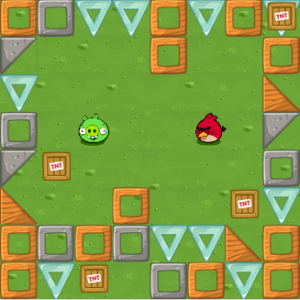
- Today's Lesson: Code.org Lesson 3: Sequencing with Angry Birds
- Vocabulary:
- Click - Press the mouse button
- Double-Click - Press the mouse button very quickly
- Drag - Click your mouse button and hold as you move the mouse pointer to a new location
- Drop - Release your mouse button to "let go" of an item that you are dragging
 We will begin by using Clever to log into Code.org.
- Only Code.org logins done through Clever will show the work that has been assigned.
- The only lesson that should be visible is the one for today: Lesson 3.
- Today's lesson is split into 7 Levels.
- The first level is a video that we will watch together in class.
- Levels 2-7 are activities meant to build student coding skills.
- Grading Rubric:
- Students earn 1 point for each level turned BRIGHT GREEN by completing it.
- Pale green Levels are incomplete and therefore not counted.
- CHALLENGE Levels are counted as Extra Credit.
- FREE PLAY Levels are rewards for completing the work and are not graded.

- This is an IN-CLASS assignment, NOT HOMEWORK. Please stay on task to complete this work by the end of class!
- Vocabulary: