 There is one video for today:
- Mr. Smith's Instructions (Note: These are for a previous Typing.com lesson but the formatting of the lesson remains the same, even if the keys covered have changed.)
- Objective:
- Students will be able to:
- Locate the home row on the keyboard.
- Type selected keys with a minimum number of errors.
- Students will be able to:
- Announcements:
- The last day for any late work was Friday, March 13th!
- PGCPS policy for Lawful Absences will be followed. All other work is now due the day it is assigned.
- Previous Lessons: Lesson 3, Lesson 4, J, F, and Space, U, R, and K, Lesson 6, D, E, and I, Lesson 7, Lesson 8, C, G, & N, Lesson 9, Beginner Review 1, Lesson 10, Lesson 12, Lesson 13
- The last day for any late work was Friday, March 13th!
- Today's Lesson: Typing.com Beginner Review 1
- On weeks where we are able to meet more than once, the 2nd class will be a Typing.com lesson that is graded as a 10 point Assessment grade. (Your score will be determined by your percentage of completion.)
 We begin by logging into Clever and finding the button for Typing.com.
- When logging in, you may be asked to identify the class you are in. Make sure you pick the one that lists MR. SMITH as your teacher!
- Once you've done this, the only lessons you should be able to see are the ones I've unlocked for your class.
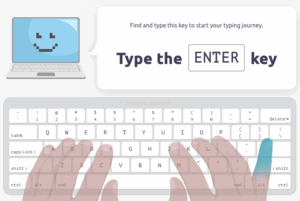
- Watch each of the included videos and follow the directions. Do your best to not look at your keyboard while typing! An image on the screen will show you how to move your hands as you learn to touch-type.
- This is an IN-CLASS assignment, NOT HOMEWORK. There are no extended deadlines for the remainder of this Quarter!
Foulois Media Arts
Void where prohibited.
