 There is one video for today:
- Objective:
- Students will be able to:
- Work well around their classmates.
- Prioritize objectives.
- Balance functionality with aesthetics.
- Students will be able to:
- Announcements:
- The last day for any late work WAS Friday, March 13th!
- PGCPS policy for Lawful Absences will be followed. All other work is now due the day it is assigned.
- The last day for any late work WAS Friday, March 13th!
- Previous Lessons: Lesson 2, J, F, & Space, Lesson 3, Lesson 4, U, R, & K, Lesson 6, D, E, & I, Lesson 7, Lesson 8, C, G, & N, Lesson 9, Lesson 10, Lesson 14
- Today's Lesson: Luanti Circles
-
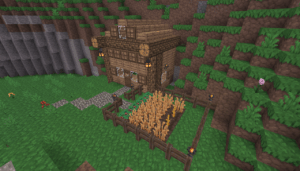 Today we are going to complete a lesson using Luanti.
- Students with a lawful absence who are making up work may attempt to create a "circle" using Voxels to earn credit. They will still hand in their sentences in the same location.
- To begin, you will follow Mr. Smith's instructions for finding and opening the Luanti app.
- Once you've connected, your first task is to create as close to a perfect circle as possible.
- (Returning students will recall that it's impossible to make a circle out of squares, but one can make something that RESEMBLES a circle.
- With your circle complete, go to Canvas and answer the question.
- With the time remaining, turn your circle into a starter base.
- This is an IN-CLASS assignment, NOT HOMEWORK. Please stay on task to complete this work by the end of class! There are no more extended deadlines this close to the end of the Quarter!
-
Void where prohibited.
