 There is one video for today:
- Mr. Smith's Instructions (This was recorded for 5th grade but the objectives are the same.)
- Objective:
- Students will be able to:
- Work well around their classmates.
- Prioritize objectives.
- Balance functionality with aesthetics.
- Students will be able to:
- Announcements:
- The last day for any late work was Friday, March 13th!
- PGCPS policy for Lawful Absences will be followed. All other work is now due the day it is assigned.
- Previous Lessons: Lesson 3, Lesson 4, J, F, and Space, U, R, and K, Lesson 6, D, E, and I, Lesson 7, Lesson 8, C, G, & N, Lesson 9, Beginner Review 1, Lesson 10, Luanti Circles
- The last day for any late work was Friday, March 13th!
- Today's Lesson: Luanti Circles
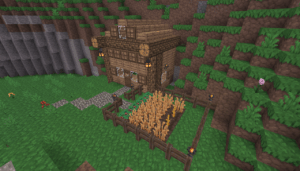 Today we are going to complete a lesson using Luanti.
- Students with a lawful absence who are making up work may attempt to create a "circle" using Voxels to earn credit. They will still hand in their sentences in the same location.
- To begin, you will follow Mr. Smith's instructions for finding and opening the Luanti app.
- Once you've connected, your first task is to create as close to a perfect circle as possible.
- (Returning students will recall that it's impossible to make a circle out of squares, but one can make something that RESEMBLES a circle.
- With your circle complete, go to Canvas and answer the question.
- With the time remaining, turn your circle into a starter base.
- This is an IN-CLASS assignment, NOT HOMEWORK. There are no extended deadlines for the remainder of this Quarter!
Void where prohibited.
