- Objective:
- Students will be able to:
- Identify the "Home Row."
- Better understand how to type selected letters without looking at the keyboard.
- Students will be able to:
- Announcements:
- No late work for this Quarter will be accepted after Monday, January 12th!
- This deadline is 2 weeks before the end of the Quarter and is far more lenient than PGCPS policy.
- Work owed from unexcused absences will still not be accepted.
- Between January 12th and the last day of the Quarter, PGCPS policy will be followed.
- No late work for this Quarter will be accepted after Monday, January 12th!
- Previous Lessons: Lesson 3, Lesson 4, Lesson 5, Lesson 7, Lesson 8, Lesson 9 Pre-Keyboarding
- Today's Lesson: Typing.com Learn the Keys 1: J, F, and Space
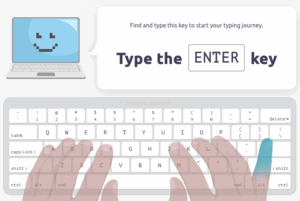 We will begin by using Clever to log into Typing.com.
- Grading Rubric:
- Students earn 1 point for each completed section of the lesson.
- This is an IN-CLASS assignment, NOT HOMEWORK. Please stay on task to complete this work by the end of class!
Void where prohibited.
